The Best AI-Powered Tools to Simplify Product Research and Store Management


You want to work smarter, not harder. AI-Powered Tools like Maze, ChatGPT, Jungle Scout, and Shopify Magic help you do just that. These tools save you hours every week, boost your sales, and make your daily tasks easier. Many shops see a 30% jump in conversion rates and cut their sales cycle by nearly half. You get real data, quick answers, and more time to focus on what matters—growing your business.
Key Takeaways
AI-powered tools help you save time and increase sales. They let you spend more time growing your business. Maze gives you fast user feedback. It helps you check if your product ideas are good. ChatGPT makes creative product ideas. It also sums up what customers say, so you can understand them better. Jungle Scout helps you find products that make money. It also helps you make your listings easier to see. Shopify Magic makes content for you and gives customer insights. This makes running your store simpler. Zoho Inventory keeps track of your stock. It stops you from selling too much or running out. Re:amaze makes customer support better with AI chatbots. These chatbots answer common questions quickly. Always try tools with free trials first. This helps you see if they fit your business before you pay.
Top AI-Powered Tools Overview
Quick Shortlist and Benefits
You want product research and store management to be simple. AI-Powered Tools help you finish tasks faster and make better choices. Here is a quick list of the best tools you should know:
Maze: You can test how people use your product and get feedback right away. Maze gives you reports automatically and helps you check if your ideas are good.
Uizard: You can draw your ideas and turn them into wireframes very quickly. Uizard lets you work with your team at the same time and supports hand-drawn sketches.
UX Pilot: You can make questions for user research and keep your notes organised. UX Pilot helps you plan what to do next and keeps your research neat.
Perplexity AI: You get the latest research and useful information. Perplexity AI works like a smart search engine and finds important trends and what customers think.
Trendalytics: You can guess what will be popular and see patterns. Trendalytics uses AI to show you what is happening in your market.
Retail AI 360: You can control stock and prices using image analysis. Retail AI 360 helps you keep shelves full and prices correct.
Tip: AI-Powered Tools can find useful information in minutes. They show you patterns and help you see trends you might miss. You get feedback right away and reports are made for you, so you do not have to do as much work by hand.
Comparison Table
Here is a simple table to help you compare the top AI-Powered Tools. You can see their main features, prices, and best ways to use them easily.
Tool | Main Features | Pricing | Best Use Cases |
|---|---|---|---|
Maze | Usability testing, automated reports, quick setup | Free & Paid | Validating product concepts |
Uizard | Real-time collaboration, wireframe creation | Free & Paid | Agile product management |
UX Pilot | Research question generation, UX documentation | Paid | Planning product tasks |
Perplexity AI | AI-powered search, trend summarisation | Free | Market research, insights gathering |
Trendalytics | Trend forecasting, market intelligence | Paid | Market analysis, forecasting |
Retail AI 360 | Image analysis, stock and pricing optimisation | Paid | Stock control, shelf space management |
Each tool is good at something different. Maze is best for fast testing. Uizard helps you draw and share ideas quickly. UX Pilot keeps your research tidy. Perplexity AI gives you new information. Trendalytics helps you see changes in the market. Retail AI 360 makes stock and pricing simple.
If you want to make smarter choices, these tools look at lots of data fast. They help you find trends and support products that are better for the planet, which your customers care about. Some tools, like Maze and Uizard, have free plans so you can try them before paying.
AI-Powered Tools for Product Research
Maze – AI User Testing
Features
Maze lets you test your product ideas with real people. You can watch how users move around your website. Maze shows you where people click and how they travel on your pages. You get help from AI to turn talks into easy-to-read notes. Card sorting helps you put things in order and make your site easier to use.
Feature | Description |
|---|---|
Test tasks on live sites and see what users do right away. | |
Quantitative Metrics | Look at heatmaps and paths to see where users get stuck. |
AI-Supported Interview Studies | Get short notes and main ideas from interviews, so feedback is simple. |
Card Sorting | Find out how users group things for better names and menus. |
Advantages
Maze saves you time because you get feedback while you build. You can make and send tests fast, so you get answers quickly. This helps you fix problems sooner and make better choices. Maze lets you find issues early and make your product better before it goes live.
Tip: Maze helps you get real user feedback in just a few days. You can test, learn, and change your ideas quickly.
Pricing
Maze has both free and paid plans. The free plan gives you basic testing, which is good for trying it out. Paid plans give you more reports and extra testing tools.
Best Use Cases
Use Maze when you want to see if your ideas work for real users. It is great for testing new features and making your website easier to use. If you want fast feedback and clear reports, Maze is a top pick for AI-Powered Tools.
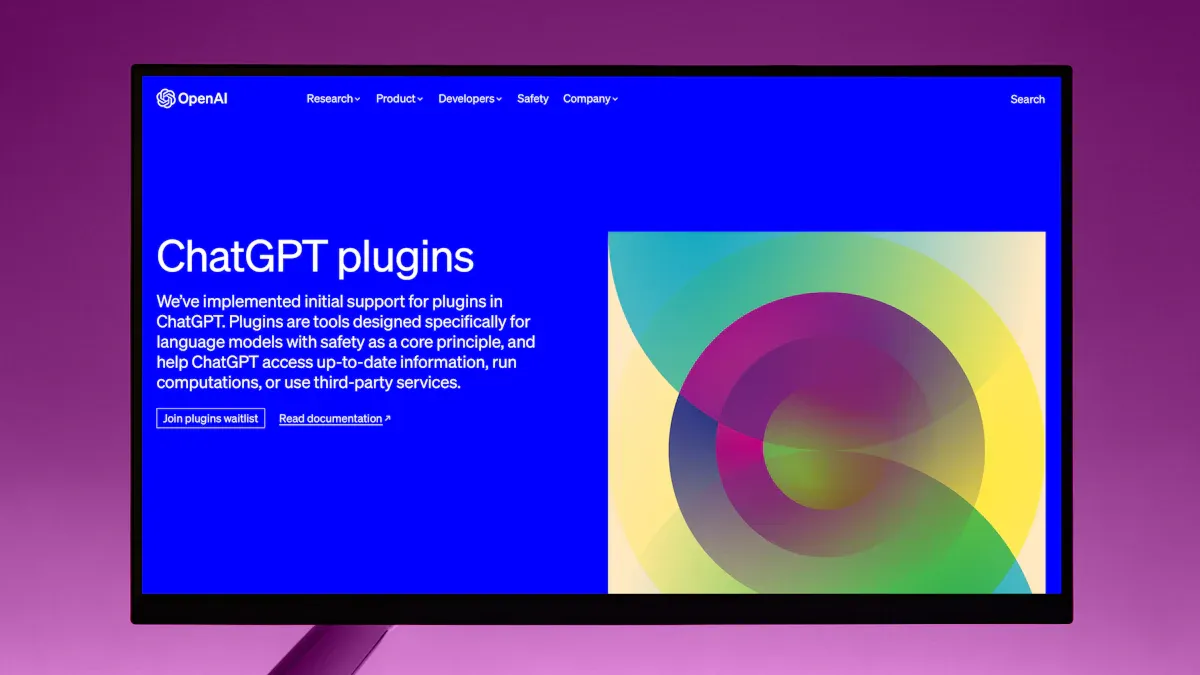
ChatGPT – Product Ideation
Features
ChatGPT helps you think of new product ideas and learn what customers want. You can ask questions and get creative answers. ChatGPT uses natural language processing to make feedback short and create new ideas. It also looks at data and groups answers, so you know what matters most.
Capability | Description |
|---|---|
Natural Language Processing | Makes customer feedback short and creates new ideas. |
Idea Generation | Gives you unique ideas to help you think in new ways. |
Data Analysis | Finds key points in answers and puts them together for you. |
Advantages
You get new ideas for products or changes right away. ChatGPT makes it easy to come up with ideas and spot trends in feedback. You can sort answers fast and see what customers care about. This tool helps you stay ahead of others.
Gives you creative ideas for new products.
Makes feedback short so you do not miss anything.
Groups customer answers for better review.
Pricing
ChatGPT has a free version with basic tools. If you need more, you can pay for faster answers and extra business tools.
Best Use Cases
Use ChatGPT when you want to think of new products or features. It is good for sorting feedback, planning launches, and learning what people want. If you need quick ideas and short notes, ChatGPT is a great AI-Powered Tool.
Jungle Scout – Market Analysis
Features
Jungle Scout helps you find the best things to sell online. You get tools to find popular keywords with little competition. Jungle Scout helps you make your product pages better, so more people find them. You can see what other sellers do and check your sales with smart tools.
Feature | Description |
|---|---|
Keyword Research | Find words lots of people search for but few use. |
Listing Optimisation | Make your product pages better to show up in searches. |
Competitor Analysis | See what other sellers do and change your plan if needed. |
Sales Analytics | Check your sales and make choices using real numbers. |
Product Database | Look at a big list of products you could sell. |
Opportunity Finder | Find areas with high demand and not much competition. |
Advantages
You can choose products with confidence because Jungle Scout shows what sells. You find new chances and avoid busy markets. The sales tools help you see how your products do, so you can make smart changes. Jungle Scout makes research faster and more correct.
Note: Jungle Scout’s tools help you pick products that fit your shop and boost sales. You get clear numbers and easy reports.
Pricing
Jungle Scout has paid plans with different tools. You pay each month or year, depending on what you want. There is no free plan, but you can try it and get your money back if you do not like it.
Best Use Cases
Jungle Scout is best if you want to sell on Amazon or other online shops. Use it to find good products, make your pages better, and check your sales. If you want to grow your shop and make smart choices, Jungle Scout is a trusted AI-Powered Tool for market analysis.
Helium 10 – Amazon Insights
Features
Helium 10 gives you a full set of tools to help you sell on Amazon. You can find winning products, track your competitors, and see which keywords work best. The platform uses AI to boost your keyword ranking and manage your stock. You get help with product sourcing, listing optimisation, and running your PPC ads. Helium 10 also checks your listings for errors and helps you fix them fast.
Here are some features you will find useful:
Keyword Tracker: See how your keywords move up or down in Amazon search.
Inventory Protector: Stop people from buying too much of your stock during sales.
Listing Optimiser: Get tips to make your product pages stand out.
Profit Tracker: Watch your sales and costs in real time.
Alerts: Get messages if someone changes your listing or if you run low on stock.
PPC Manager: Make your ad campaigns work better with smart suggestions.
Advantages
You can make smarter choices with Helium 10. The AI looks at your data and shows you what works. You spot trends before others do. You save time because the platform does the hard work for you. Helium 10 helps you keep your listings fresh and your ads sharp. You do not have to guess what to do next. The system gives you clear steps to follow.
Helium 10 uses AI to improve your keyword ranking, manage your inventory, and make your Amazon shop run smoothly. The tools help you find the right products, make your listings better, and run your ads with less effort. You get insights that help you sell more and waste less time.
Tip: Use Helium 10 to check your listings every week. You will catch mistakes early and keep your sales strong.
Pricing
Helium 10 offers a free plan with limited tools. You can try out basic features without paying. If you want more, you can pick from several paid plans. Prices start at about £29 per month. Higher plans give you more searches, deeper reports, and extra help with ads and inventory.
Best Use Cases
You should use Helium 10 if you sell on Amazon and want to grow your business. It works well for new sellers who need help finding products. It also suits big shops that want to manage lots of listings and ads. If you want to save time, boost your sales, and get clear advice, Helium 10 is one of the best AI-Powered Tools for Amazon sellers.
AI-Powered Tools for Store Management

Shopify Magic – Store Automation
Features
Shopify Magic gives you smart tools to run your shop with less effort. You can use AI to handle many daily jobs. Here is a table showing what you get:
Feature | Description |
|---|---|
AI-driven tools | Simplifies business operations and gives you tailored business guidance. |
AI image generation | Creates high-quality visuals that match your brand, even if you do not have design skills. |
Automated content generation | Writes product descriptions and SEO-friendly content to keep your shop fresh and up to date. |
Customer behaviour insights | Shows you how customers act so you can make better marketing choices. |
You can also use Shopify Magic to write email campaigns and blog posts. The tool works in many languages, so you can reach more customers. For example, you can create content in Arabic if you sell to people in Kuwait.
Advantages
You save time because Shopify Magic does the hard work for you. You do not need to hire writers or designers. The AI makes your shop look good and sound professional. You get advice that fits your business, so you can make smart moves. Shopify Magic helps you understand your customers and send them the right messages.
Tip: Let Shopify Magic handle your product descriptions and emails. You can focus on growing your shop while the AI keeps your content fresh.
Pricing
Shopify Magic comes with Shopify plans. You do not pay extra for these AI features. You pick a Shopify plan that fits your shop size and needs. Prices start at about £19 per month for the basic plan.
Best Use Cases
Shopify Magic works best if you want to save time on writing and design. It suits busy shop owners who want to keep their store updated. If you sell to people in different countries, you can use the language tools to reach them. Shopify Magic is a great choice if you want to automate your shop and focus on sales.
Zoho Inventory – Smart Stock Control
Features
Zoho Inventory helps you keep track of your stock without stress. You can see what you have, where it is, and when you need to order more. The tool updates your stock levels in real time. You can link Zoho Inventory to your online shop, so orders and stock always match. The AI helps you spot trends and avoid running out of popular items.
Real-time stock tracking
Automatic order updates
Smart reordering suggestions
Multi-channel sales support
Advantages
You do not have to worry about selling something you do not have. Zoho Inventory keeps your numbers right. The AI gives you tips on what to order and when. You can sell on many sites at once and keep your stock in sync. This tool helps you avoid mistakes and keeps your customers happy.
Note: Zoho Inventory makes stock control simple. You spend less time counting and more time selling.
Pricing
Zoho Inventory has a free plan for small shops. Paid plans start at about £39 per month. You can pick a plan based on how many orders you get and how many shops you run.
Best Use Cases
Zoho Inventory is perfect if you sell on more than one website. It suits shops that want to grow without losing track of stock. If you want to stop worrying about running out or over-ordering, this tool is for you.
Re:amaze – AI Customer Support
Features
Re:amaze gives you AI-powered customer support. You can answer questions fast, even when you are busy. The tool uses chatbots to help customers any time of day. You can see all your messages from email, chat, and social media in one place. The AI learns from past chats and gives better answers over time.
AI chatbots for instant replies
Unified inbox for all messages
Automated FAQs and help guides
Smart ticket routing
Advantages
You help your customers quickly, so they stay happy. The AI handles simple questions, so you can focus on bigger problems. You see every message in one spot, so nothing gets missed. Re:amaze makes your support team faster and more helpful.
Tip: Use Re:amaze to answer common questions. Your customers get help right away, and you save time.
Pricing
Re:amaze offers paid plans starting at about £24 per month. You can choose a plan based on how many users you have and what features you need. There is a free trial, so you can test it before you pay.
Best Use Cases
Re:amaze is great for shops that get lots of questions. If you want to give fast, friendly support, this tool helps you do it. It works well for busy teams and growing shops that want to keep customers happy.
QuickBooks Commerce – Automated Operations

Features
You want your shop to run smoothly. QuickBooks Commerce helps you do just that. This tool gives you smart ways to manage your stock and orders. You can see what you have in real time. You do not have to guess if you have enough products. QuickBooks Commerce links with big e-commerce platforms, so you can sell on many sites without extra work. You can also handle tricky stock needs, like bundles or kits, and keep track of items in different warehouses.
Here’s a quick look at what you get:
Feature | Description |
|---|---|
Tracks inventory, sales, and orders in real time, so you always know your stock levels. | |
E-commerce Integration | Connects with major online shops, making your operations simple and fast. |
Complex Inventory Management | Lets you manage bundles, kits, and stock in many warehouses without confusion. |
You can set up automatic alerts for low stock. The system updates your numbers as soon as you make a sale. You get a clear view of your business every day.
Advantages
QuickBooks Commerce saves you time. You do not need to check your stock by hand. The tool updates everything for you. You can sell on more than one website and keep your numbers right. If you have lots of products or sell bundles, you can manage them easily. You get fewer mistakes and happier customers.
Tip: Use QuickBooks Commerce to spot which products sell best. You can order more before you run out and keep your shop busy.
You can also see reports that show your sales and stock trends. This helps you plan what to buy next. You spend less time on boring tasks and more time growing your shop.
Pricing
QuickBooks Commerce offers paid plans. Prices start at around £39 per month. You pick a plan based on your shop size and what features you need. There is a free trial, so you can test the tool before you pay.
Best Use Cases
QuickBooks Commerce works well for shops that sell on many websites. If you have lots of products or need to manage bundles, this tool helps you stay organised. You can use it if you want to grow your business and keep your stock under control. QuickBooks Commerce is one of the AI-Powered Tools that makes running your shop easier and faster.
Comparing AI-Powered Tools

Feature Comparison
You might wonder what makes each tool special. Some tools help with design. Others are for customer support or sales. Here is a simple look at how these tools are different:
Tool | Main Strengths | Weaknesses |
|---|---|---|
Maze | Fast user testing, clear reports | Limited to usability feedback |
Uizard | Quick wireframes, team collaboration | Not for deep analytics |
ChatGPT | Creative ideas, fast summaries | Stores conversations |
Jungle Scout | Market research, sales analytics | No free plan |
Helium 10 | Amazon insights, keyword tracking | Can get pricey for full features |
Shopify Magic | Store automation, content generation | Only for Shopify users |
Zoho Inventory | Real-time stock control, easy setup | Advanced features cost more |
Re:amaze | AI chatbots, unified inbox | Paid plans only |
QuickBooks Commerce | Multi-channel inventory, automation | Best for larger product catalogues |
Each tool does something well. Maze and Uizard help you make and test products. Shopify Magic and QuickBooks Commerce help you run your shop.
Pros and Cons
When you choose a tool, you want to know the good and bad parts. Here is a table that shows what people like and dislike about some top tools:
AI Tool | Pros | Cons |
|---|---|---|
ChatGPT | Versatile conversational AI | Stores all conversations, data may be used for training |
Canva AI | Powerful design capabilities | Data stored on servers, limited content creation features |
Microsoft Copilot | Seamless Office integration, familiar interface | Data storage and privacy risk, expensive for full features, requires Microsoft 365 subscription |
Salesforce Einstein | Deep CRM integration, sales-focused features | Limited to Salesforce ecosystem, expensive implementation, requires extensive setup |
Otter.ai | Excellent for meeting productivity | Data stored for analysis |
Midjourney | High-quality image generation | All images are publicly viewable unless on expensive plans |
Tip: Always check how a tool uses your data. Some tools keep your information for learning or research. If you care about privacy, pick tools that do not save your data.
Best Fit by Business Type
Not every tool is right for every business. You should pick one that fits your size and needs. Here is a guide to help you choose:
Tool | Best Suited For | Core Functionality | Pricing | Alternatives |
|---|---|---|---|---|
Salesforce Einstein | Large Enterprises | AI for sales forecasting | Enterprise-focused | HubSpot AI, Zoho CRM |
Zendesk Advanced AI | Mid-sized to Large Businesses | Customer service automation | Quote-based | Intercom, Freshdesk |
Zapier | Small to Mid-sized Businesses | Workflow automation | Free tier | Make, n8n |
CrowdStrike Falcon Go | Small to Medium Businesses | Cybersecurity | Subscription | SentinelOne, Huntress |
Ramp | Small to Medium Businesses | Finance automation | Free | Brex, Payhawk |
If you have a small shop, you might like tools with free plans and easy setup, like Zapier or ChatGPT. Bigger companies might need Salesforce Einstein or Zendesk Advanced AI. These have more features but cost more. You can start with one tool and add more as your shop grows.
Note: AI-Powered Tools can help any business. The best tool depends on your goals, money, and how much you want to automate.
Choosing the Right Tool

Selection Criteria
Business Needs
You want your shop to run smoothly. Start by thinking about what you need most. Do you want to save time, boost sales, or improve customer support? Write down your main goals. If you sell on many websites, you need a tool that handles multi-channel sales. If you want better product ideas, look for tools that help with research and feedback. Your business needs guide your choice.
Integration
Check if the tool works with your current systems. You do not want to spend hours setting up new software. Look for tools that connect easily with your shop, payment system, and other apps you use. Some tools offer plug-and-play features, so you can start quickly. If you use Shopify or Amazon, pick tools that support these platforms.
Usability
Pick a tool that your team can use without trouble. Try the demo or free trial. Ask your team to test the interface. If the tool feels confusing, you might waste time. Good tools have clear menus and simple dashboards. You want everyone to feel confident using it.
Pricing
Look at the cost before you decide. Some tools offer free plans with basic features. Paid plans give you more options. Calculate the total cost, including setup and training. Make sure the price fits your budget. Sometimes, a more expensive tool saves you money in the long run by reducing mistakes and saving time.
Common Mistakes
You might make mistakes when choosing an AI tool. Here are some common errors businesses face:
Mistake | Description |
|---|---|
Overestimating AI capabilities | You might expect too much from AI and feel disappointed when it cannot do everything. |
Neglecting data strategy | If you do not plan how to use your data, the AI may not work well. |
Failing to test and validate AI systems | If you skip testing, you risk errors that can hurt your shop. |
Tip: Stay realistic about what AI can do. Always test new tools before using them fully.
Trial and Evaluation Steps
You want to make sure the tool fits your shop. Follow these steps before you buy:
Map integration needs with your current systems.
Test the user interface with your team.
Review the security documents to keep your data safe.
Check if the tool has the right compliance certificates.
Ask about vendor support and see how fast they reply.
Add up all costs, including setup and training.
If you follow these steps, you will find a tool that helps your business grow. You will avoid surprises and make a smart choice.
You can make your shop smarter and your work easier with AI-powered tools. These tools help you save time, boost sales, and keep customers happy. Before you choose, think about what your business needs most. Try a free trial or demo to see what fits. Here’s what’s coming next in AI for shops:
Trend | What It Means for You |
|---|---|
Get better product suggestions | |
Fast customer support | Answer questions instantly |
Smarter stock control | Avoid running out or over-ordering |
Easy content creation | Write product details in seconds |
Speed and efficiency | Make shopping quick and smooth |
AI keeps changing. If you start now, you’ll stay ahead.
FAQ
What is an AI-powered tool?
An AI-powered tool uses artificial intelligence to help you finish tasks faster. It can spot trends, give you smart suggestions, and automate boring jobs. You save time and make better choices for your shop.
Do I need technical skills to use these tools?
No, you do not need to be a tech expert. Most tools have simple dashboards and clear menus. You can follow step-by-step guides. If you get stuck, you can use help articles or chat support.
Can I try these tools before paying?
Yes, many tools offer free trials or basic plans. You can test features and see if they fit your needs. Look for a “Free Trial” or “Demo” button on the tool’s website.
Will AI tools keep my data safe?
Most trusted tools use strong security to protect your data. Always check the privacy policy. If you care about privacy, pick tools that do not store your information for training.
Tip: Always read the tool’s privacy policy before you sign up.
How do I choose the right AI tool for my shop?
Start by listing your main goals. Do you want to save time, boost sales, or help customers? Try free trials and ask your team for feedback. Pick the tool that feels easy and meets your needs.
Can AI tools work with my current shop platform?
Yes, many AI tools connect with popular shop platforms like Shopify or Amazon. Check the tool’s website for a list of supported platforms. You can often find plug-ins or easy setup guides.
What if I need help using an AI tool?
You can use help articles, video guides, or chat with support teams. Many tools also have user communities where you can ask questions and share tips.

TangBuy: A Smarter Way to Dropship in 2025
If you're looking to stay competitive with dropshipping in 2025, speed and trend-awareness are key. TangBuy helps you stay ahead with real-time product trends, fast fulfilment, and factory-direct sourcing. With over 1 million ready-to-ship items, 24-hour order processing, and seamless Shopify integration, TangBuy makes it easier to test, scale, and succeed in today's fast-moving eCommerce landscape.
See Also
Essential Dropshipping Applications for Shopify Stores in 2023
Five Key Approaches to Source Dental Goods Online in 2025
Five Innovative Techniques to Find Trending Products Online
25 Affordable, High Margin Items to Enhance Your Store in 2025
